
Using the Electronic Parts Catalog
The EPC is how you get the part right, and using it well is a core parts skill — it ties the machine to its exact parts through exploded diagrams, serial breaks, and supersessions. A parts pro who navigates it fast and reads it carefully gets the right part the first time; one who guesses around it generates returns and comebacks.
Start from the verified machine
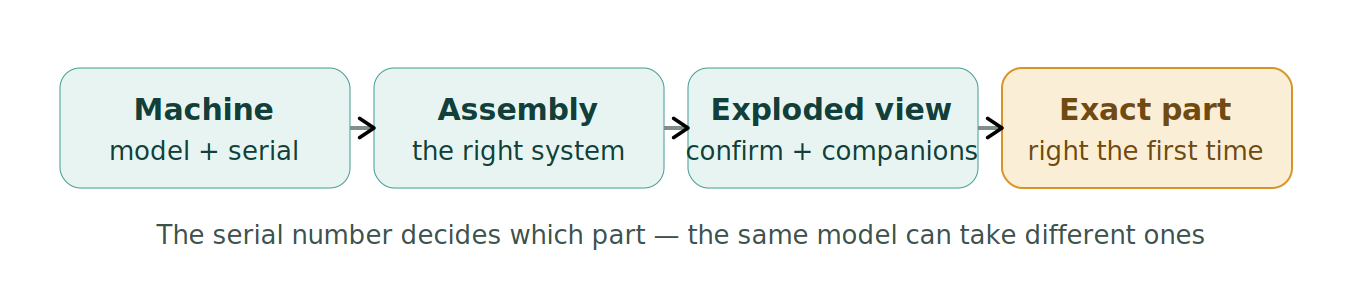
The catalog is organized by model and serial, because parts differ by serial range. Enter the machine’s exact model and serial and the EPC shows the parts that actually fit that machine — including the right side of any serial-break change. Skipping the serial and picking from a generic list is how you get the part that fits the other version.
Read the exploded diagram
Exploded (assembly) diagrams show how a component comes apart and how the pieces relate — which is how you identify the exact part a customer describes, find the small related pieces a repair also needs (seals, gaskets, fasteners, clips), and understand the assembly well enough to advise. Reading the diagram is where you catch the “you’ll also need these three things” that completes the job and prevents a second trip.
Let it handle supersessions and kits
The EPC runs supersessions forward to the current number and flags when parts are now sold as a kit or have been consolidated. Trust it over an old record or memory, and check what it says the current part actually is before ordering.
Where it goes wrong
- Searching without entering the machine’s serial and getting the wrong version.
- Picking a number without reading the exploded diagram for related parts.
- Ignoring a supersession or kit change the catalog flags.
- Guessing from memory instead of navigating the catalog.
Related
Part numbers and supersessions · Serving the counter and phone · Counter selling (complete the job) · The DMS.